Cookie Notice

We use cookies to ensure you get the best experience on our website. By continuing to use our site, you accept our use of cookies, privacy policy and terms of service.

ESC

Search

Support

Do I Have 32-bit or 64-bit Excel/Office

How to determine whether your Excel or Office installation is 32-bit or 64-bit.

How to tell if Excel is 32-bit or 64-bit

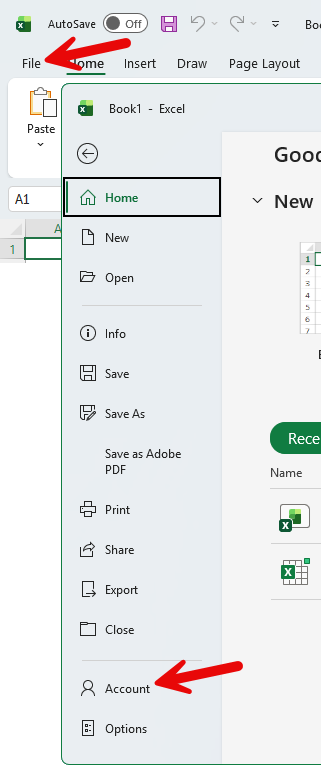
  1. Click the File Button, and then click Account.
    View screenshot Excel File menu showing Account button
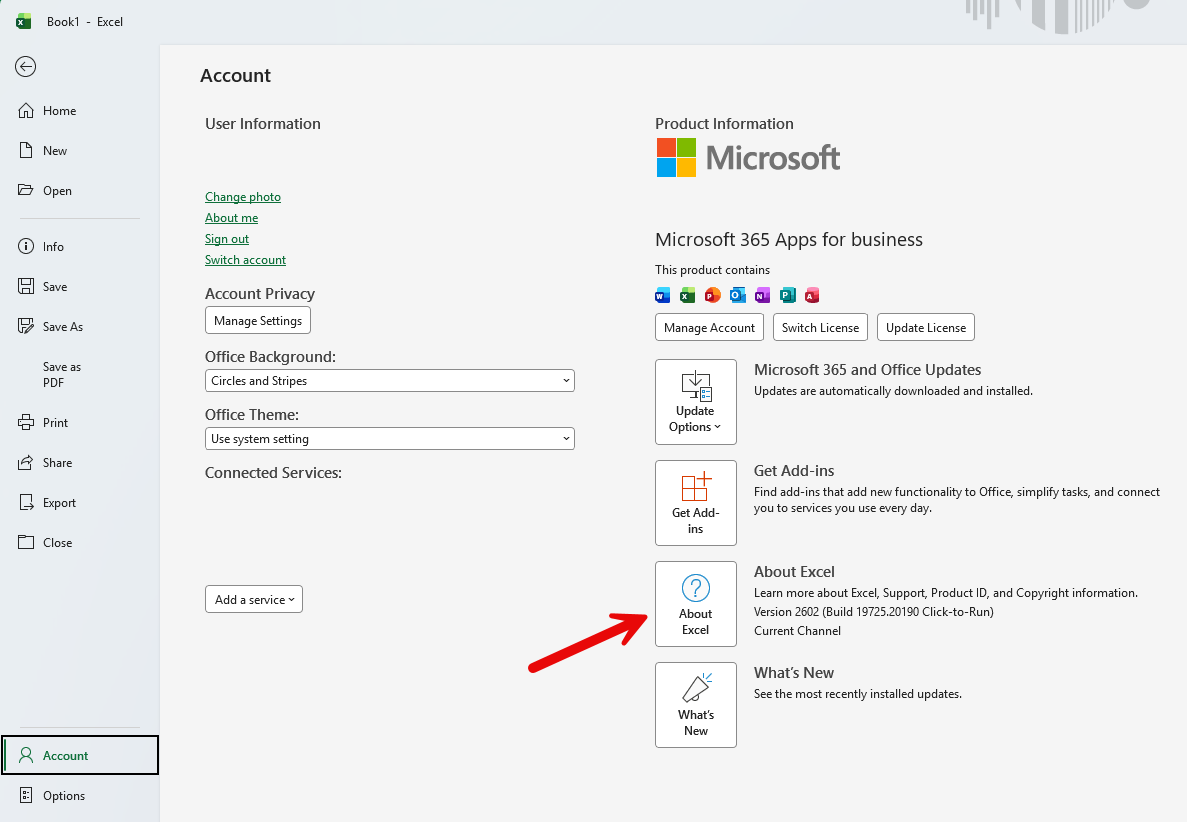
  2. Select About Excel from the options on the right.
    View screenshot Excel Account page showing About Excel button
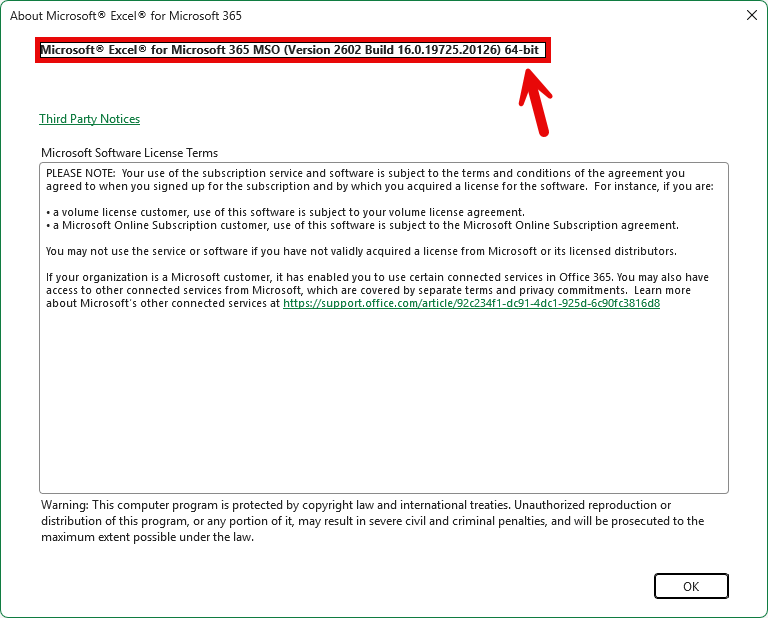
  3. The text at the top of the dialog will show you if Excel is 32-bit or 64-bit.
    View screenshot About Excel dialog showing 64-bit at the top